
How to tell when stampings are separated
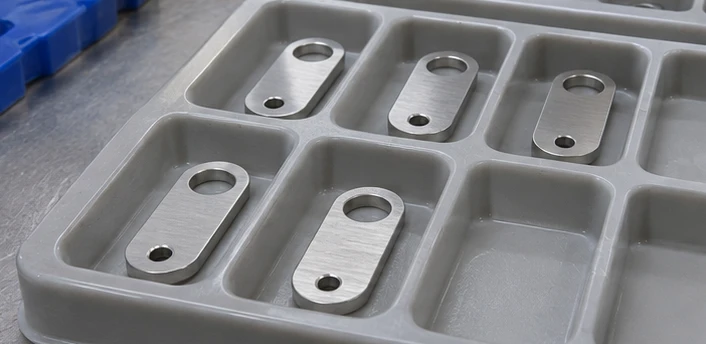
Loose stampings can overlap or stick together. Supply front and back views of one part and a side view of a stack, noting whether flipping is allowed and which way the burr edge may face. During trials, count detected pickable parts, successful single picks and correct pocket placements separately. This lets you trace a failure to its step.
Using a metal sleeve's centre bore
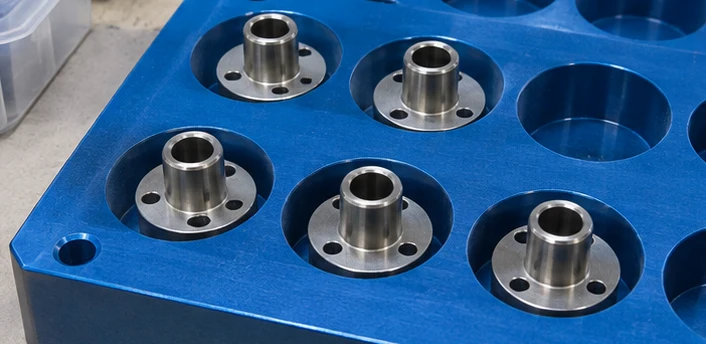
The bore can locate the sleeve, but it can also affect vacuum pickup. Specify the contact face's inner and outer diameters, usable width, part weight and surface condition. If the tray has locating pins or deep pockets, add a section and insertion direction. Include these details to check head-to-pocket clearance.
Inspecting the first pocket and the full tray
Mark the first pocket, last pocket and tray-change direction on an empty tray. Observe corner and central pockets, noting interference near the outer pockets and raised parts in deep pockets. If a specific orientation is required, inspect an end-face feature rather than the tray edge. Record accepted parts, empty pockets, double loads and wrong orientations separately.